
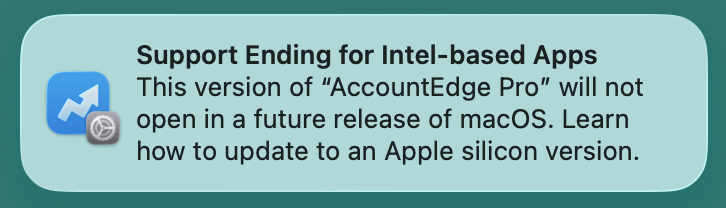
The temporary nature of the warning is by design in macOS Tahoe 26.4 and later. It is meant to give users a heads-up before the full Rosetta deprecation that begins after macOS 27. Relying on the dialog alone is not ideal for ongoing management. The architecture checks (file command and Get Info) remain the most dependable way to identify apps that will need updates for macOS 28 and beyond.
In terminal:
file "/Applications/App Name.app/Contents/MacOS/App Name"
Mach-O 64-bit executable x86_64 → Intel-only. Will run in macOS 27 using Rosetta. Update recommended for macOS 28+ (except certain legacy games).
Output showing both x86_64 and arm64 (Universal) or only arm64 → Native or dual support; best compatibility.
This is the most reliable Terminal method to predict Rosetta dependency.
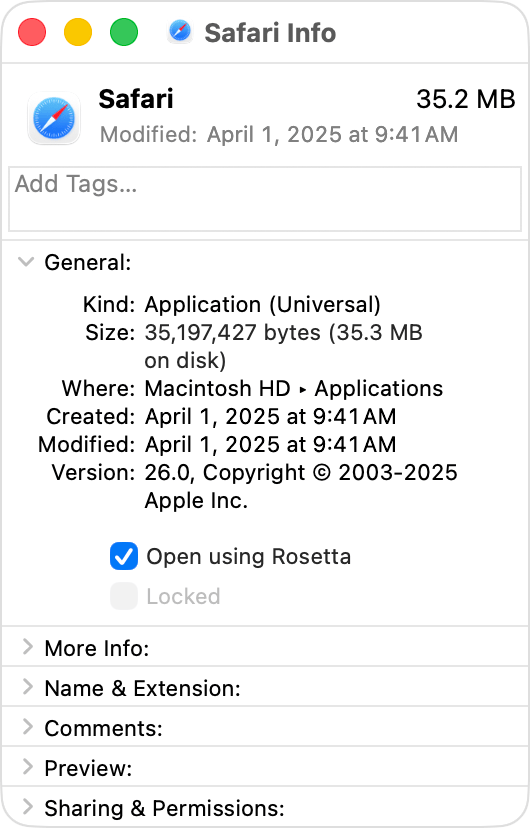
Identify Intel-based apps
In the Finder, click the app’s icon to select it.
From File menu in the menu bar, choose Get Info. Or press Command-I.
In the Info window that opens, find the information shown after Kind:
Application (Intel): The app is made only for a Mac with an Intel processor. You should update the app for Apple silicon.
Application (Universal): The app is made for a Mac with either an Intel processor or Apple silicon. It doesn’t need Rosetta.
Application (Apple silicon): The app is made only for a Mac with Apple silicon and doesn't need Rosetta.




